
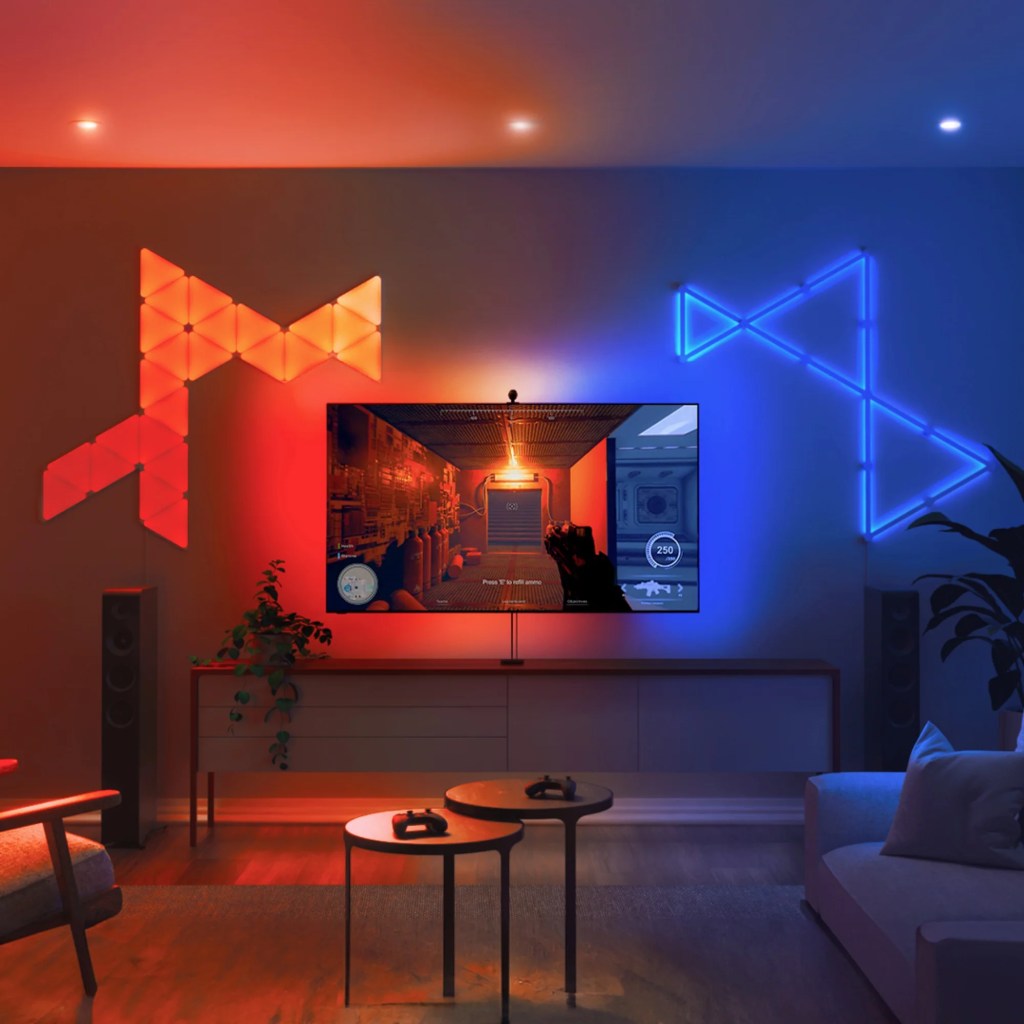
Hello my fellow (and likely indecisive) tech heads. If you’re anything like me, this likely isn’t your first review blog that you’d be reading about taking the plunge and making an investment into one of the many TV backlights that are on offer. I was mainly tossing up between Govee and Nanoleaf during my month-long deep dive into these LED strips with Phillips Hue and FancyLED’s on my radar too. Many internal debates and one birthday later, I opted to go with Nanoleaf. Now, 6 months later, I’m putting my uncensored opinion to the page, fully inclusive of my setup, the good, the bad, and my final opinion, all while sprinkled with some juicy photos and videos of these light strips in action.
Quick Facts:
💰 Price: $169.99
⏰ Best for: Immersive Entertainment & Ambient Lighting
Pros: Gaming & Movies
Cons: App connectivity, Lighting can be distracting
My Rating: ⭐⭐⭐⭐
The Setup (with my LG OLED TV)
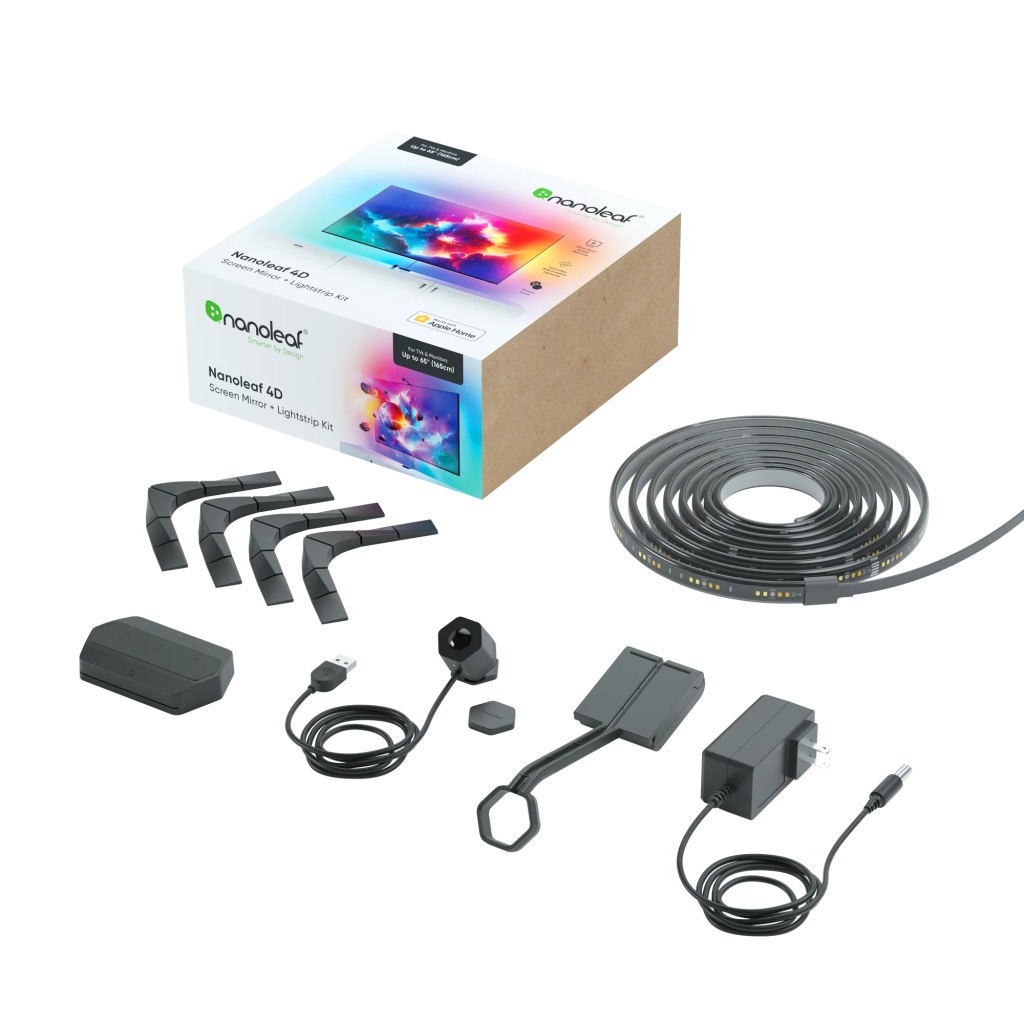
Now bear with me here as it’s been quite a few months since I actually set up these lights and ya boy didn’t anticipate ever writing a blog about this! But most notably is that once I set it up I haven’t had to touch it again. Adhering the lights to the back of the tv wasn’t the easiest task nor was it the hardest but it was definitely made easier by the corner attachments supplied in the box. While I would assume setting up the lights would be a bit tough regardless of what brand you decide to go with, my suggestion is to not do what I did and attempt to align, hold, peel, cut, and press solo – get a friend to give you a hand and it’ll be a lot easier even if it’s just someone to pass you the lights as you thread them under your existing cable management.
My TV is a bit oddly shaped meaning I had to bridge the lights between sections but thankfully this didn’t prove to be an issue for the super sticky adhesive on the light strips. Once the lights are on the TV though you’ll not have to think about them again which is a big plus. Setting up the camera was my real hesitation though – I didn’t want to have a big eyesore camera sticking out of my TV and thankfully with the wide angle camera I was able to elegantly hide it just a few centimetres away from the base of the tv (instead of above), tucked away nicely behind my soundbar. A huge relief.
Finally, connecting the lights to the Nanoleaf did have a few struggles. I personally had to reconnect the lights to the internet and app a few times before it actually decided to work. Something I’ve noticed happens every now and then even with my light panels I have in my other room. I’ve accepted that the app will work 95% of the time but thankfully the physical remote takes away that worry.
The Pros
Okay, now the fun part and what we’re all here for. These backlights are super immersive – specifically for gaming and watching movies at night. They easily light up the whole room making you feel each and every time you cast a spell, explore a new environment or inevitably lose health and die. Watching a movie is just as enthralling – especially if it’s a bright animated movie. One of the best movie experiences was in fact a night I had on the couch watching K-Pop Demon Hunters with my mum (yes, I know, I’m cool like that). Other than it being a great movie, it was the TV backlights that made all the difference. The closest thing I can relate the experience to is like getting star power in Mario Kart, it’s honestly next level. I’ll attach a few videos below to show the lights during some gaming and movie scenes although filming these lights just doesn’t do it justice.
When you’re not watching anything but are still in the room, the backlights make for an incredible ambient light too, fully illuminating the wall. There’s an endless supply of colour options to choose from for each person’s preference with a range of animations available to utilise too. Turning these lights on even when you’re not focusing on the TV really adds to the mood of the room – excellent for when you’re cooking, chatting on the couch, or my favourite, game nights.
The Cons
Simply put, the downside to these lights – and for any backlights would be the following two caveats. External lighting, and quick alternating lighting in the video content. Using the lights in the daytime is pretty much pointless if I’m going to be honest here. At least if your setup is anything like mine where my TV is by a large window (apartment life). Now this isn’t Nanoleafs fault in the slightest but it’s good to note. As you can see from below if you’re trying to use the lights during the day you’ll want to have all your blinds closed so there aren’t any reflections on the screen. Overhead lights are a big no-no as well if you want to maintain the quality and get the full experience.
Some content just isn’t great for the backlights either. I personally noticed that any fast switching scenes of people talking, particularly if one person has a lot of lighting compared to another (think of two people having a chat by a window), the fast light changes will take you out of the immersion. I did find that reducing the brightness of the lights to about 50% did soften this harsh change though.
My Final Verdict
If you’re deciding between whether to get the lights or not, take this as a sign to get them. While they may not be perfect, Nanoleaf 4D does a bloody good job at getting close to! The benefit you’ll get from immersive gaming and the impactful scenes in movies is SO worth the money. Deciding between what brand however comes down to personal preference in my opinion. As I already had Nanoleaf lights it was easy for me to add a device rather than getting a separate ecosystem for just my tv. A lot of reviewers will also specify what the “perfect settings” are but I find that the lighting will vary between content anyway so I’ve found the default settings to be more than enough. There are also some extra features like a music mode which reacts to audio and a Sync mode to connect all your lighting at once, so the additional features are there for those who want to get the most bang for their buck at the $169.99 AUD pricepoint. Overall however I’ll definitely be keeping these lights stuck on and utilising them each night while I lock into my new favourite game or am binge watching a new Netflix show and stuffing my face full of snacks.


 abitunhinged.com.au
Leave a comment